Branded, Timestamped Photos for Every Listing
Document a property's condition, address, and exact capture time — with your own logo and contact info on every photo. Built for listings, walkthroughs, and move-in inspections.
Camera, location, and stamp settings all stay on your device.
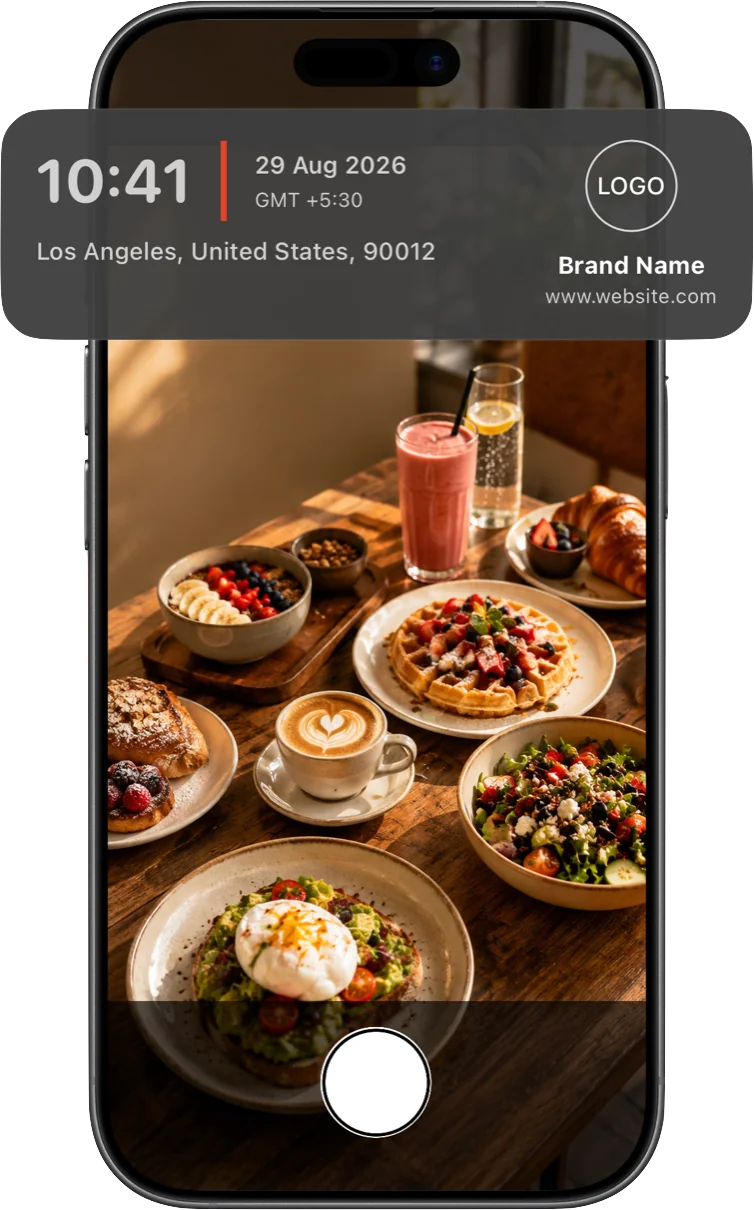
Put your name on every photo
Personalize every listing and inspection photo with your own logo, name, and website — so your work is recognized the moment a client opens it, no separate watermarking app required.
- Upload your own logo image
- Add your name or brokerage name
- Include a website or contact line
- Drag, resize, and reposition the watermark anywhere on the frame

A dated, addressed record for every visit
A folder of otherwise-identical room photos becomes a dated, addressed record — useful if a condition dispute comes up months after a move-in, walkthrough, or listing photo shoot.
- Full street address, resolved from your coordinates
- Exact time, date, and time zone
- GPS coordinates for precise geotagging
Frequently asked questions
Can I add my brokerage or agency logo to photos?
Yes. Upload a logo image and add your name or business name and an optional website line — it stamps onto every photo alongside the date, time, and address.
Does this work for video walkthroughs too?
Yes. The same stamp — including your branding — burns live into recorded video, not just still photos.
Will the exact property address be visible if I share a photo?
Yes — that's generally the point for a listing or inspection record. The address is burned into the image itself, so it stays visible however the photo is shared or forwarded.
Can I turn off GPS coordinates and just show the address?
Yes. Coordinates, altitude, compass heading, address, and map thumbnail can each be toggled on or off independently.
Give every listing a professional, dated record
Available now on the App Store.
Download on the App Store