Visible Photo Timestamps vs. Hidden EXIF Metadata: What's the Difference?
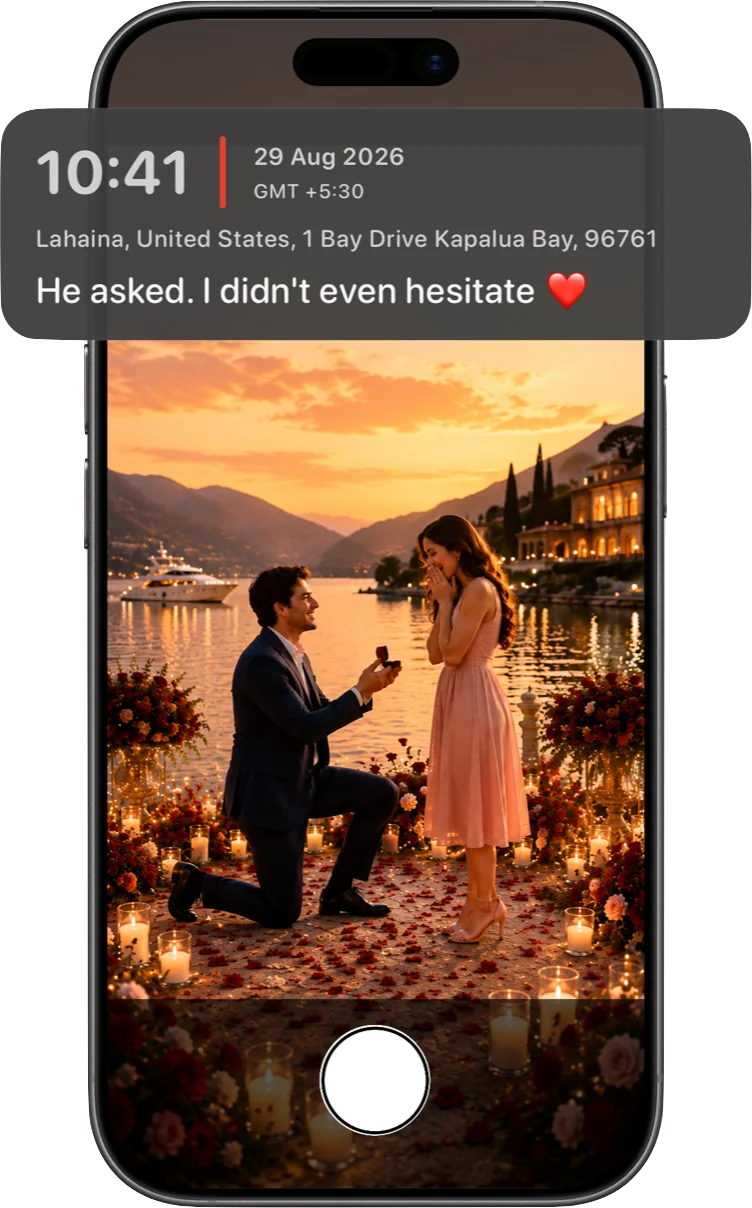
Every photo your iPhone takes already carries a timestamp and, usually, a GPS coordinate — tucked away in EXIF metadata you never see. So why do apps exist purely to stamp that same information visibly onto the photo itself? Because the two behave completely differently once a photo leaves your camera roll.
What EXIF metadata actually is
EXIF (Exchangeable Image File Format) is a block of data embedded in a photo file alongside the pixels — camera model, exposure settings, capture time, and, if location access was granted, GPS coordinates. It's invisible when you look at the photo; you'd need a dedicated tool, or a "Show More Info" panel in a photo viewer, to see it at all.
Why EXIF data often doesn't survive sharing
Here's the part that catches people out: a lot of the places you'd naturally share a photo strip EXIF metadata automatically, usually for privacy reasons. Most social platforms strip GPS data on upload. Many messaging apps compress images for sending, and location metadata frequently doesn't make the trip. Screenshotting a photo drops all of its metadata by definition, since a screenshot is a brand-new image. The upshot: if you're relying on EXIF data to prove when or where a photo was taken, there's a good chance that proof quietly disappears the moment you actually share the photo — which is usually the whole point of sharing it.
What a visible, burned-in stamp does differently
A visible timestamp isn't attached to the photo — it's part of it, rendered directly into the pixels at capture time. There's no metadata to strip, because there's no separate metadata involved for what's on display: what you see is what's actually in the image data. Forward it, screenshot it, post it, compress it — the stamp is still legible, because it was never a detachable layer to begin with.
The trade-off worth knowing about
That permanence cuts both ways. Once a stamp is burned in, it's part of the photo — there's no toggling it off later the way you might strip EXIF data before sharing something more privately. That's exactly why a good stamping tool lets you choose what's included before you capture: leave off your exact address for a casual photo, but include full coordinates and altitude for a job site record. The right amount of visible detail depends entirely on what the photo is for.
Using both together
These aren't actually competing systems — EXIF metadata still gets recorded by the camera hardware regardless, and a visible stamp sits on top of that as the part guaranteed to survive sharing. For anything you might need to reference later — a delivery, an inspection, a memory you want to hold onto exactly as it happened — the visible stamp is what actually does the job.
Timestamp Camera lets you choose exactly which fields appear in the stamp — time, date, coordinates, altitude, compass heading, address, and your own branding — before you ever tap the shutter.
Download on the App Store